 iRobot (irobot.com)
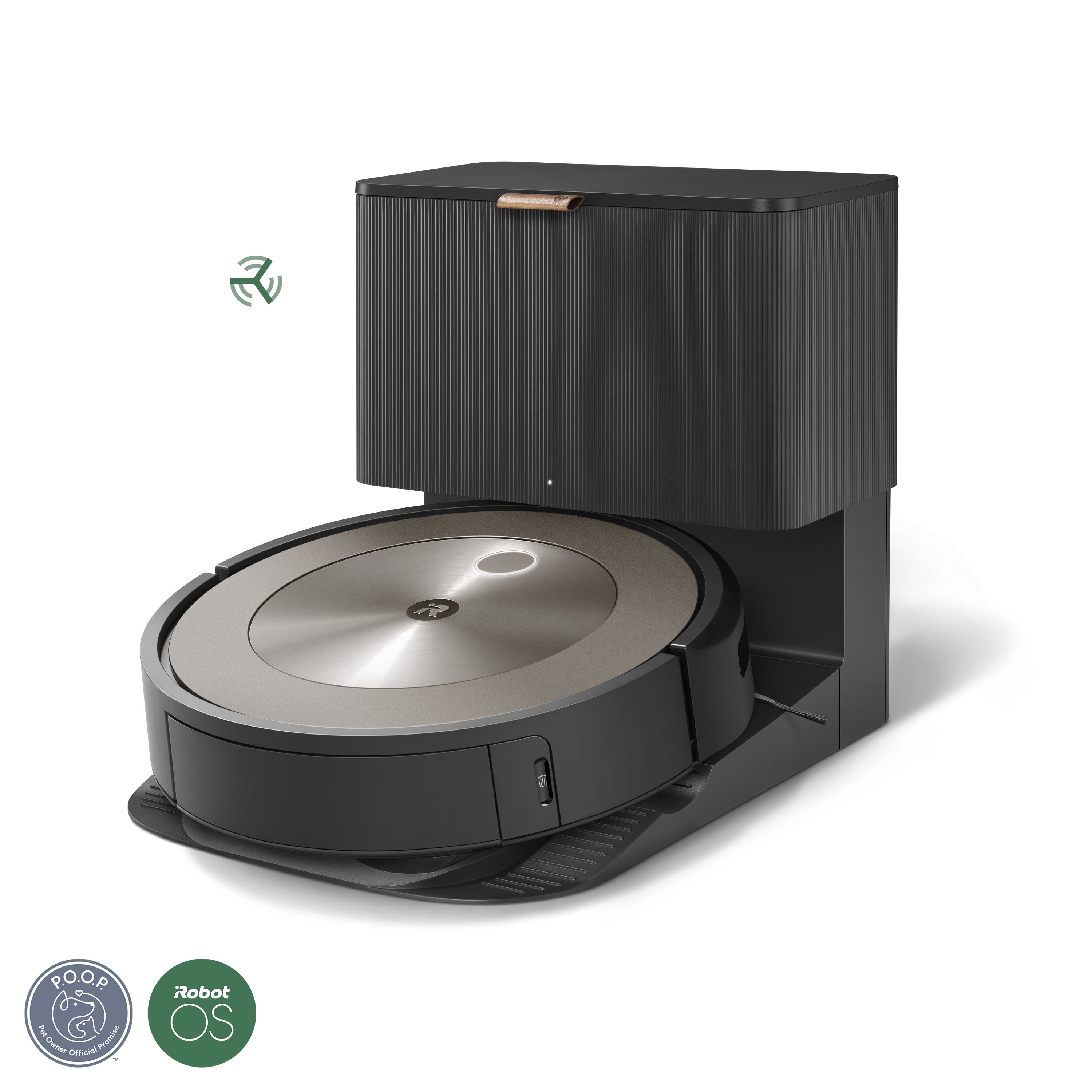
 iRobot Roomba j9+
by iRobot · September 2023
The iRobot Roomba j9+ combines powerful suction, intelligent room navigation, and a 60-day auto-empty base. It learns your home's layout and adapts cleaning schedules automatically, integrating seamlessly with Alexa and Google Home.
Capabilities
Specifications
Physical
Performance
Power & Battery
Sensing & Perception
Computing & AI
Connectivity
Control
Other
Pricing and Availability
This robot is currently available for purchase from the manufacturer or authorized retailers.
Price last verified: March 2026
AI, Data & Privacy
Mixed - some data on-device, some in cloud
This robot uses a hybrid approach where some data is processed locally on the device and some is sent to cloud servers. The level of EU data protection depends on what data stays local versus what is transmitted. Sensitive data like camera feeds may be processed on-device while usage analytics go to the cloud. Review the manufacturer's privacy policy for specifics on what data goes where.
How to keep it private
Works fully offline using the physical CLEAN button for whole-home cleaning or SPOT CLEAN for targeted areas. Scheduling, smart mapping, room-specific cleaning, and app features require Wi-Fi and the iRobot Home app. Navigation images are processed on-device and never sent to the cloud.
Available privacy controls
Disable Cloud Map Sync in the iRobot app under Settings, Account, Data Sharing to prevent map data from being uploaded
j-Series robots only snap obstacle photos with explicit user consent. Images not shared with iRobot are auto-deleted in 30 days.
Opt out of Clean Map report data via irobot.com account settings
VSLAM navigation images stay on the robot and are not transmitted to the cloud
Request deletion of all collected data through iRobot customer support or account settings
Full factory reset wipes all stored data, maps, and Wi-Fi credentials from the robot
For maximum privacy, never connect to Wi-Fi and use only the physical CLEAN button. You lose scheduling, smart maps, and app control, but the robot cleans normally. If you do connect, disable Cloud Map Sync and block the Roomba MAC address at the router level. Navigation images never leave the device regardless of settings.
What this means for EU residents
Navigation images processed on-device and not sent to cloud. Map data encrypted and stored in iRobot cloud (opt-out available). Robot data stored separately from customer identity. Can operate fully offline without cloud connectivity.
What the AI can do 6 capabilities
External AI connections Not allowed
This robot does not support external AI connections. All AI processing happens through the built-in system.
Security features 4 features
- encrypted-cloud-storage
- tuv-sud-cyber-security-certified
- data-anonymization
- penetration-tested
Configurability details App Only
iRobot Home app for scheduling, room mapping, keep-out zones, and cleaning preferences. Voice control via Alexa and Google Home. No public SDK or API.
Research notice
The information above is compiled from manufacturer documentation, published privacy policies, independent security research, and community findings as of the dates listed in our sources. AI capabilities, privacy features, and data handling practices may change with firmware updates or policy revisions. We make every effort to be accurate, but errors are possible. Always do your own research before purchasing. Check the manufacturer's latest privacy policy and terms of service directly for the most current information.
Related Articles
Sources
All information on this page is based on the following sources. Links open in a new tab.
- iRobot Roomba j9+ Product Page - accessed 2026-03-01
- iRobot Privacy and Data Sharing FAQ - accessed 2026-03-29
- iRobot Data Security Page - accessed 2026-03-29
- iRobot GDPR Compliance - accessed 2026-03-29